
Features
Every module, what it does, and the rule it serves
True North is one system with 24 modules. Filter by area, then open a module to see what it does, who uses it, and the regulation it supports.
Standard training program A complete Part 145 training catalog on day one, ready to edit to match your repair station manual.
- What it does
- 38 items across initial, recurrent, safety, specialized, inspection and authorization, and aircraft type training. Each carries its regulatory basis, recurrent interval, initial window, evaluations, OJT events, and the roles it applies to. Items can be tracked per aircraft type.
- Who uses it
- Training manager and quality manager set it up; everyone sees what applies to their position.
- Regulation
- 14 CFR 145.163; AC 145-10 201 and 301 to 305
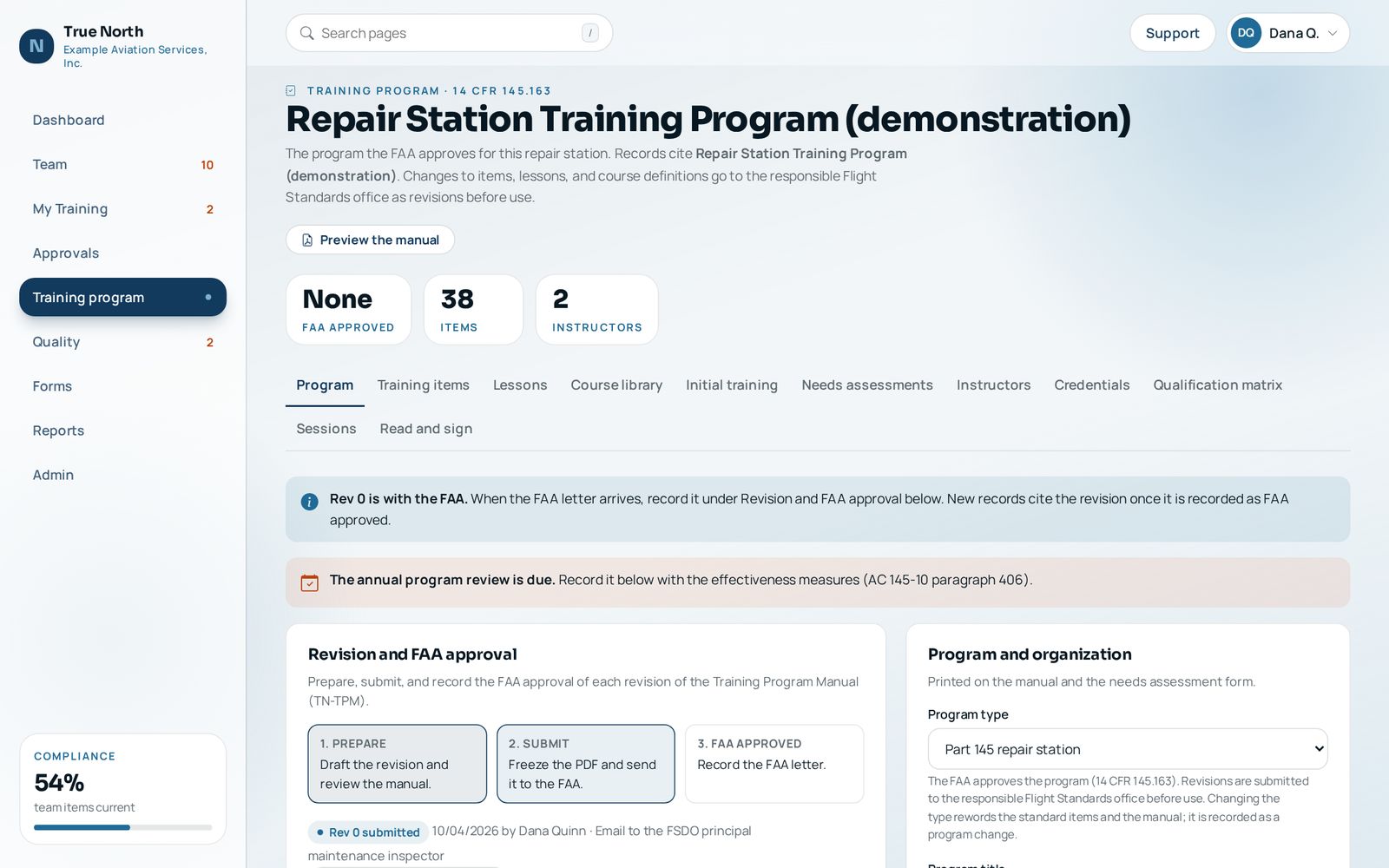
Program types One system for repair stations and for the organizations around them.
- What it does
- Choose one of five program types: Part 145 repair station, Part 135 operator maintenance, Part 91 flight department (IS-BAO), maintenance shop without an air agency certificate, or AS9100 or AS9110 organization. The type rewords the standard items and their references, the manual, and how a revision is approved (FAA approved, FAA accepted, or management approved).
- Who uses it
- Management, quality, or the training manager, at setup.
- Regulation
- 14 CFR 145.163, 135.433, Parts 43 and 65; IS-BAO; AS9100 and AS9110 7.2
Shops, roles, and white label Set it up the way your shop is organized, under your own name.
- What it does
- Add each shop to the Shop registry with the aircraft types it works on. Give each person one of eleven roles, from system administrator and accountable manager to technician, support staff, and new hire. Each supervisor sees the people and records of their own shop; management and quality see every shop. Set the product name, colors, and logo to match your shop, and every record form prints your shop name and logo.
- Who uses it
- The system administrator sets up shops and branding; supervisors and managers add people and give roles at or below their own.
- Regulation
- 14 CFR 145.151, 145.153, 145.155; AS9110 5.3
Needs assessments, course definitions, and instructors The parts of AC 145-10 that most programs leave on paper.
- What it does
- Individual needs assessments (TN-NA-01) record the trigger, methods, prior credit, findings, and required items, and are filed in the binder. Every item has a course definition with objectives, outline, hours, methods, sources, instructor qualifications, and evaluation. The instructor and evaluator register records scope, basis, approval, and expiration.
- Who uses it
- Training manager and quality manager.
- Regulation
- AC 145-10 401, 402, 404, 405
Training Program Manual The manual you submit, generated from the program you actually run.
- What it does
- The Training Program Manual (TN-TPM) is built in the structure AC 145-10 describes, frozen as a PDF with a SHA-256 fingerprint for submission, and stamped with the approval when the letter arrives. Revisions move from draft to submitted to approved, and records cite the revision in force. An annual program review records effectiveness measures.
- Who uses it
- Accountable manager, quality manager, and training manager.
- Regulation
- 14 CFR 145.163(a) and (d), 145.209(e); AC 145-10 203, 204(f), 400
Sample output: Training Program Manual (TN-TPM) (PDF, watermarked)
Training records and binders Every employee's training kept per item, and per aircraft type where it matters.
- What it does
- Completion, evaluation, OJT, issue, and next due dates for each item. Six binder tabs follow 14 CFR 145.161, 145.163, and AS9110 7.2. Required personnel documents (certificates, authorizations, employment summary) are flagged when missing. Each person gets a searchable transcript and a Training Record Summary PDF.
- Who uses it
- Employees see their own; supervisors see their shop; quality sees every shop.
- Regulation
- 14 CFR 145.161, 145.163(c); AC 145-10 407; AS9110 7.5
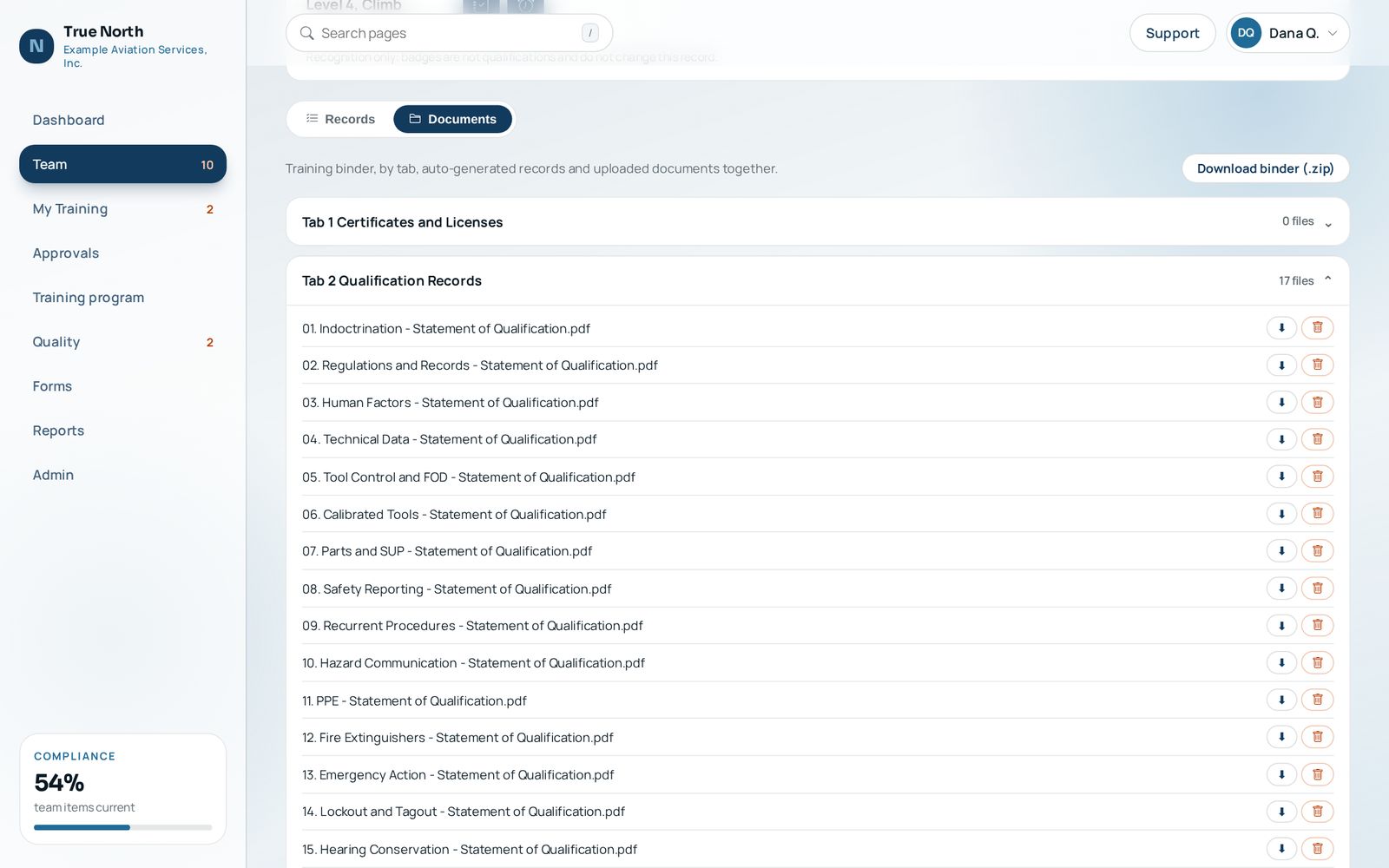
Sample output: Training Record Summary (TN-TR-02) and Personnel training records (PDF, watermarked)
Approvals and electronic signatures A record exists only after a person approves it.
- What it does
- Completions from lessons, sessions, the phone page, and the API all land in an approvals queue. History brought in by CSV import is recorded under the name of the person who imported it, with no electronic signature. The approval is bound to the signed in approver, prints as "/s/ Name, Electronic signature" dated the day they acted, and issues the Statement of Qualification, Certificate of Training, Training Acknowledgement, and OJT Record into the binder. Approvals can be limited to people in the instructor register.
- Who uses it
- Instructors, evaluators, supervisors, and the training manager.
- Regulation
- 14 CFR 145.163, 145.12; AC 145-10 405, 407(b); AS9110 7.5, 8.5.1
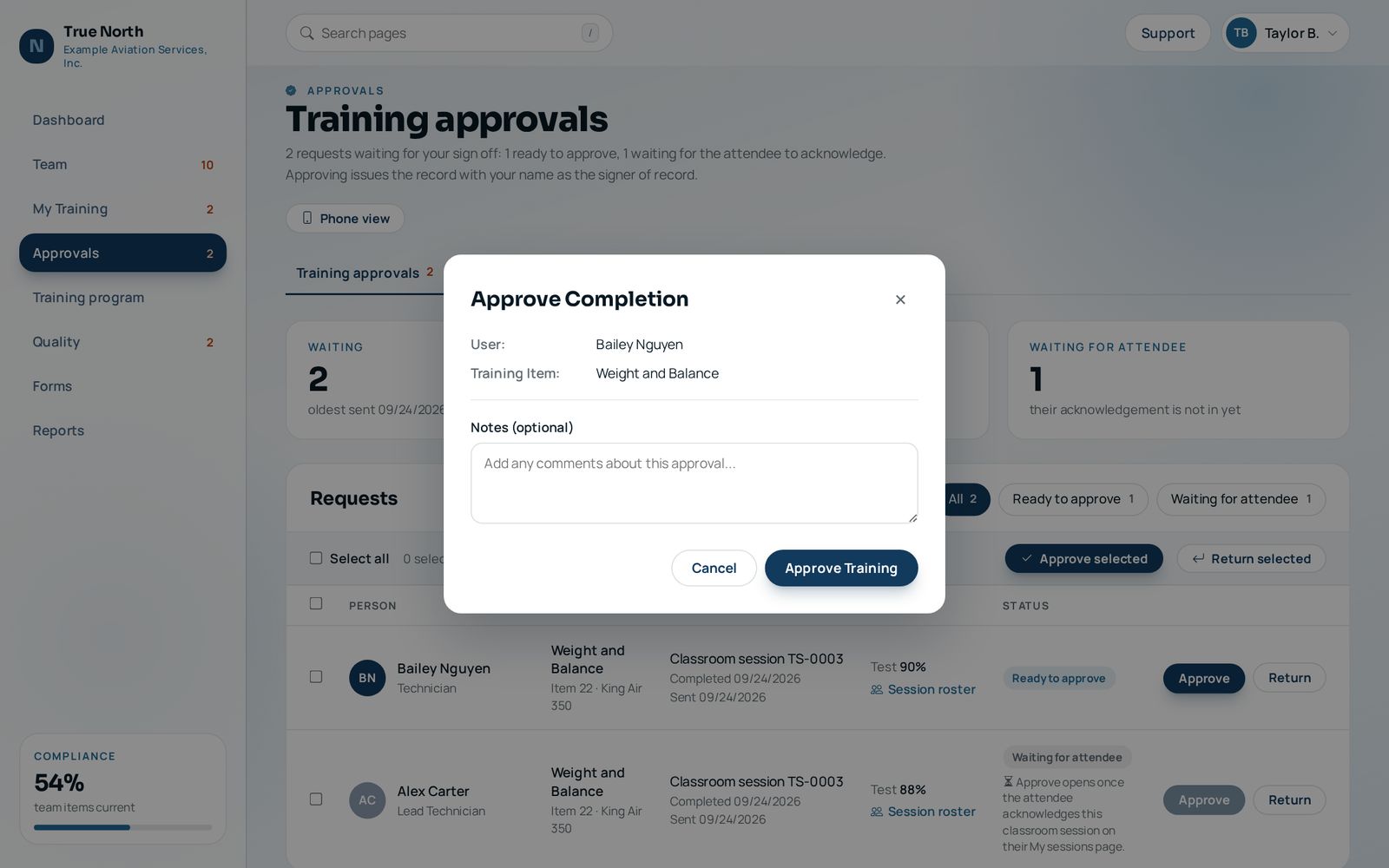
OJT and initial training windows New hires get a deadline for every initial item, counted from the hire date.
- What it does
- Each initial item has a window in days (for example indoctrination in 5, regulations in 30). The Initial training tab shows every new employee's progress and what is late. Each OJT event goes to the instructor who signed it for approval and is filed as an OJT Record. A new hire cannot log the qualification for an OJT item until its required OJT events are approved. New hires stay in a restricted role until initial training is done.
- Who uses it
- New hires, lead technicians, supervisors, and the training manager.
- Regulation
- AC 145-10 302, 403; AS9110 7.2
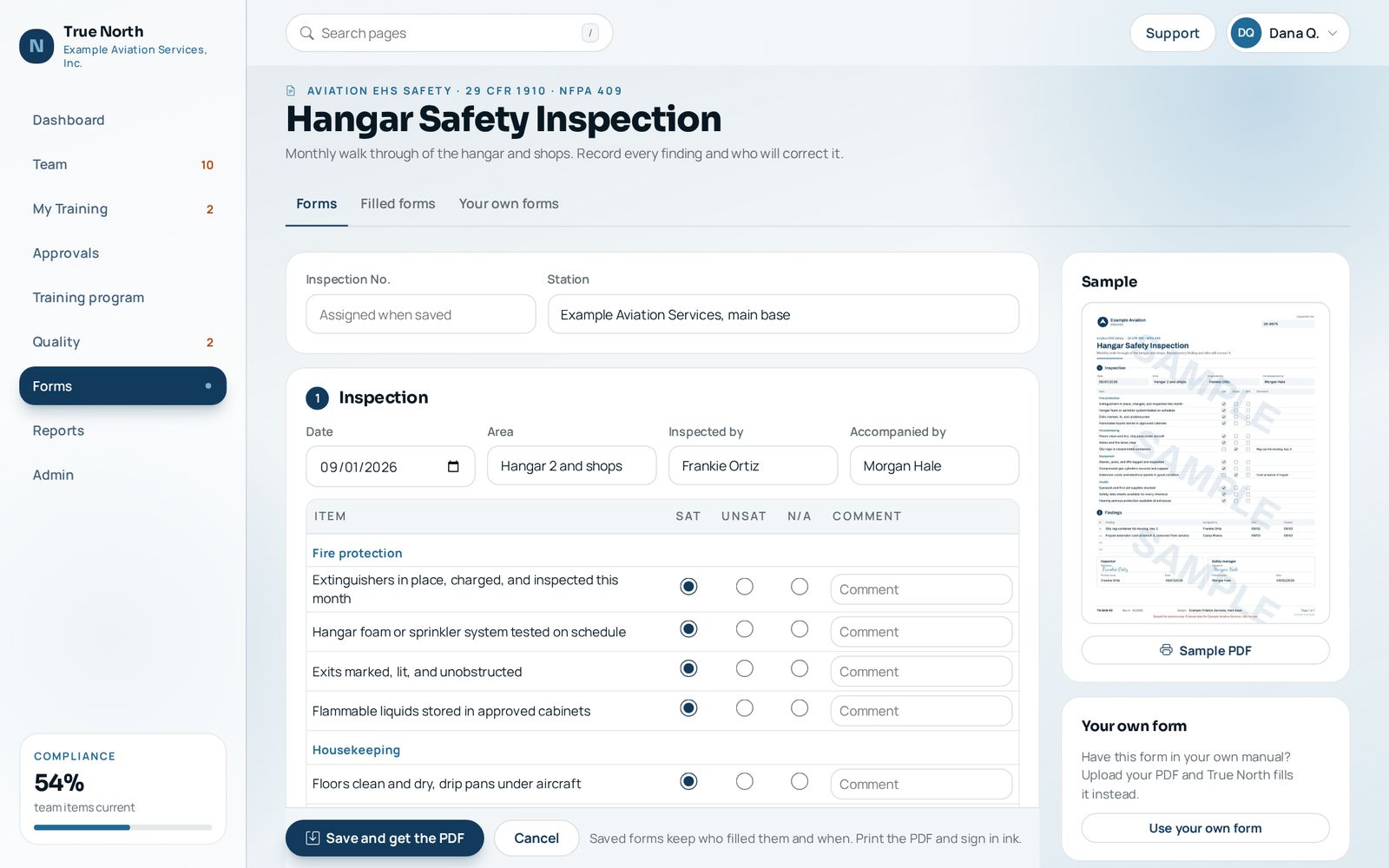
Forms kits and your own forms 46 forms, filled in on screen or printed blank, and room for the forms you already use.
- What it does
- Five kits: personnel and training records, shift turnover, aviation EHS safety, quality control, and parts and aircraft control. Fill a form in and download the PDF to print and sign in ink; the saved form keeps who filled it and when, and is never changed after saving. Print any form blank and fillable, with your shop name and your own form numbers. Already have your own forms? The quality manager uploads the PDF, places its fields in the browser, and True North prints and fills that form instead, including the record forms issued at sign off.
- Who uses it
- Everyone fills in forms; the quality manager sets form numbers and your own layouts.
- Regulation
- 14 CFR 145.211(c)(3), 145.219; AS9110 7.5, 8.5; OSHA and EPA forms cite their rule
Online lessons, lesson builder, and SCORM Computer based training that produces evidence, not just completions.
- What it does
- 27 lessons ship ready to use, and the Training Library adds 141 more: indoctrination, regulations and records, human factors, hazard communication, lockout and tagout, fuel tank entry, corrosion, hazmat shipping, inspection, return to service, internal audit, OJT instruction, drug and alcohol, SMS, information security, and more. Each has reading, slides, public video, knowledge checks, and a post test from a question bank that passes at 80 percent. Build your own from slides, PowerPoint or PDF decks, YouTube links, or MP4 files that play offline, or load SCORM 1.2 and 2004 vendor courses.
- Who uses it
- Everyone takes lessons; the training manager builds and reviews them.
- Regulation
- AC 145-10 301, 403, 406; AS9110 7.2
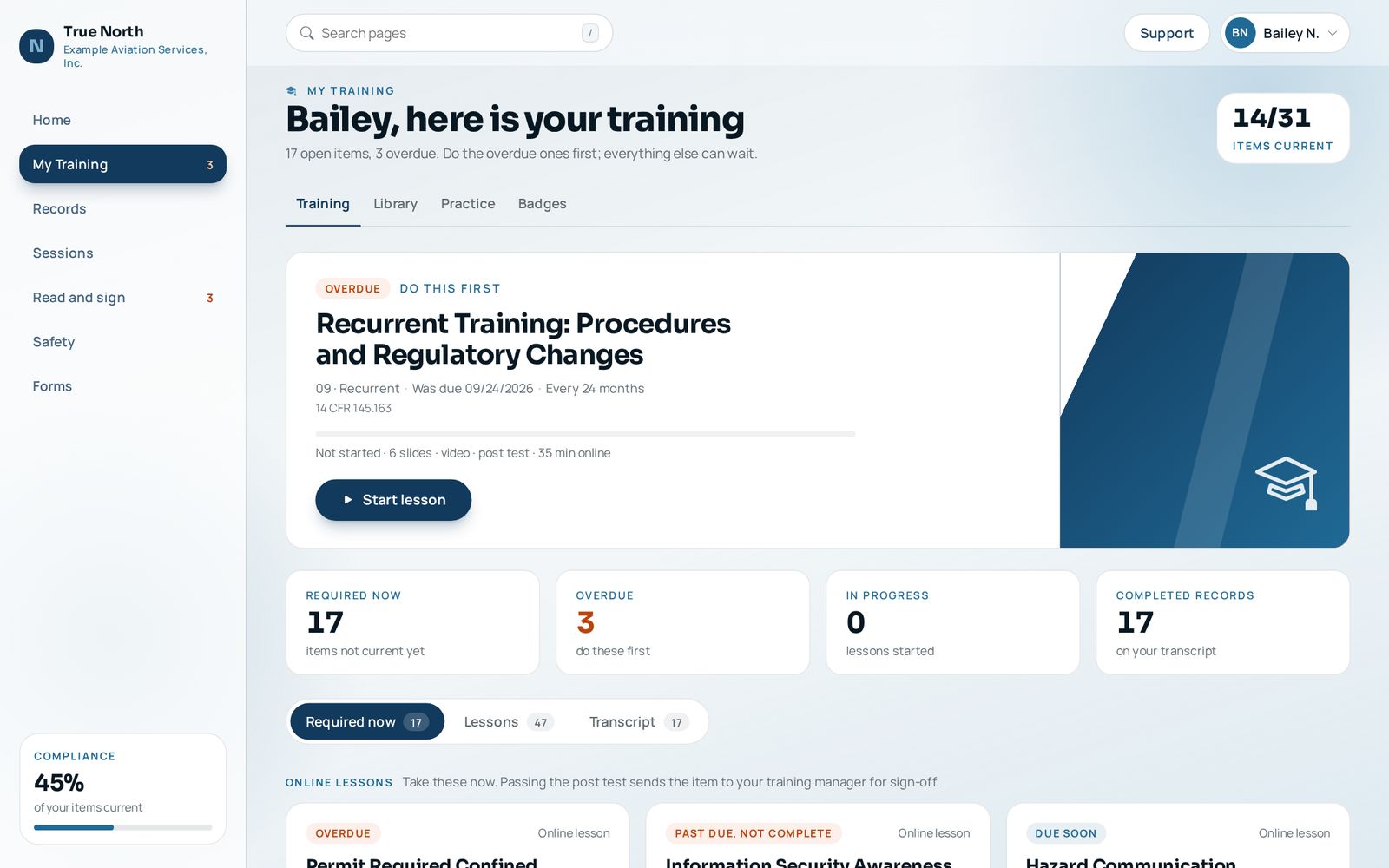
Training Library 141 courses, ready to add to your program in one click: 15 open safety courses on every plan, the whole library on Station and Network.
- What it does
- The True North Training Library: 141 verified courses, about 85 hours, in 10 domains (human factors, FAA regulations, quality management, OSHA safety, safety management, hazardous materials, environmental, bloodborne pathogens, airfield driving, and new hire fundamentals). Each course has an interactive SCORM module, a post test from a question bank, a student guide, and an instructor deck. Add a course and link it to a training item, so passing sends the item for sign off; an unlinked course is an elective on the transcript. Each course lists what the shop must add, and OSHA and DOT topics keep their notice that shop specific training is still needed.
- Who uses it
- The training manager adds courses; everyone takes them.
- Regulation
- 14 CFR 145.163; AC 145-10 301 to 303. Fifteen courses, the open safety set, are CC BY 4.0 and free to anyone; the full library comes with the Station and Network plans, or as an add-on on Shop
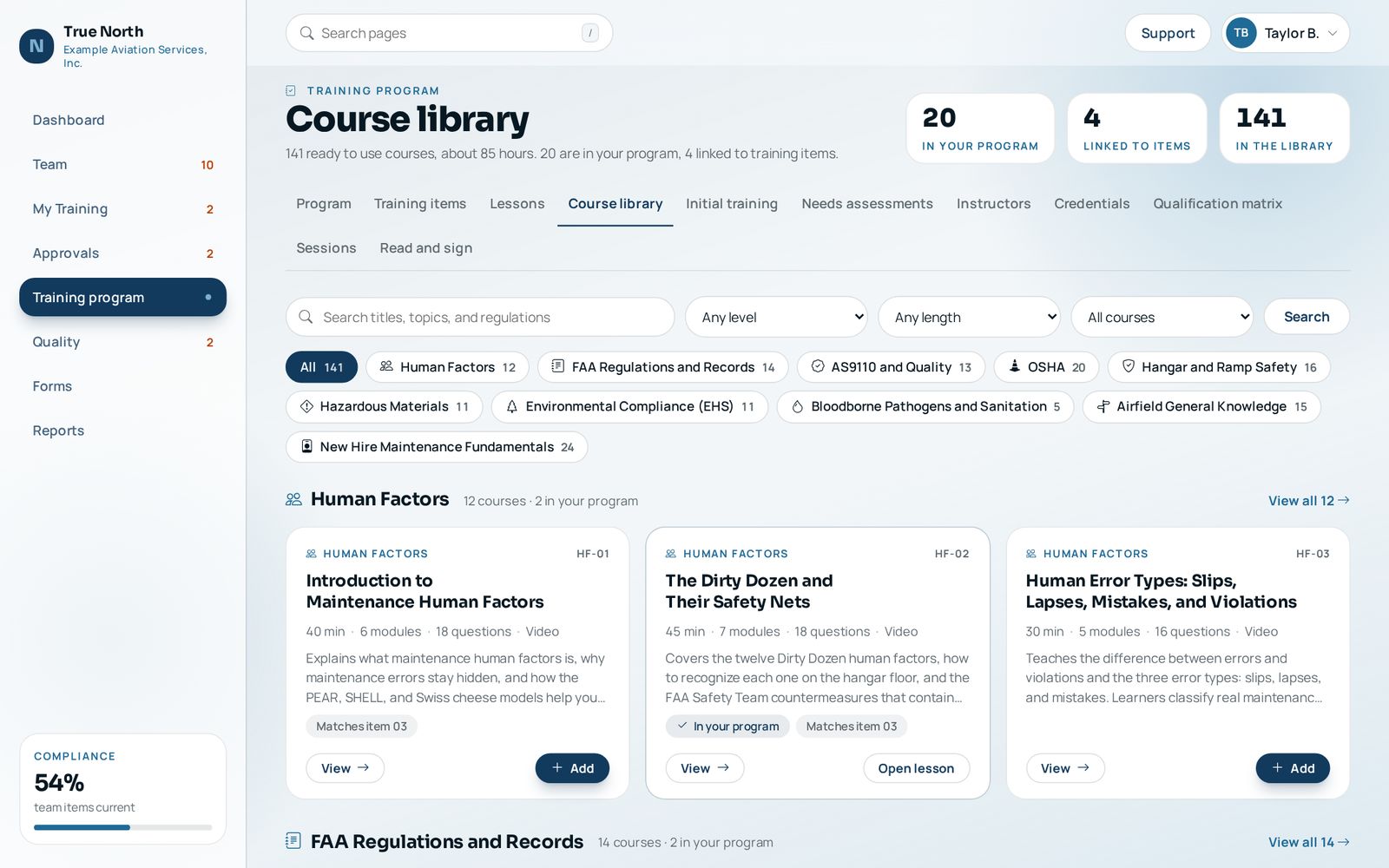
Classroom sessions Schedule instructor led training, fill the seats, and take attendance without paper.
- What it does
- Schedule a session for a training item, enroll people or let them request a seat, and keep a waitlist when it fills. The instructor marks attendance on a phone, attendees sign the roster in the system, and each attendee's completion goes to the approvals queue. The attendance roster (TN-TAR-01) is filed as a PDF. Cancelled sessions keep their roster and the reason.
- Who uses it
- Supervisors and managers schedule and record; the instructor takes attendance; everyone sees open sessions for items they have due.
- Regulation
- 14 CFR 145.163; AC 145-10 403, 405, 407(b); AS9110 7.2, 7.5
Adaptive practice Practice that targets each learner's weakest areas.
- What it does
- An adaptive quiz engine and a confidence based assessment that scores what a person knows and how sure they are, so a confident wrong answer is caught and taught again.
- Who uses it
- Technicians and new hires; the training manager reviews the question bank.
- Regulation
- AS9110 7.2; AC 145-10 406
Badges and XP Recognition for finishing training, never a substitute for a qualification.
- What it does
- Badges in four families (training, library, practice, and team) and XP that moves a person from Preflight to North Star. Badges are earned from approved records and finished courses, and a badge once earned stays earned. Badges never count as a qualification and never change a record.
- Who uses it
- Everyone; supervisors see their team's recent badges.
- Regulation
- None: records still follow the sign off rules of 14 CFR 145.163
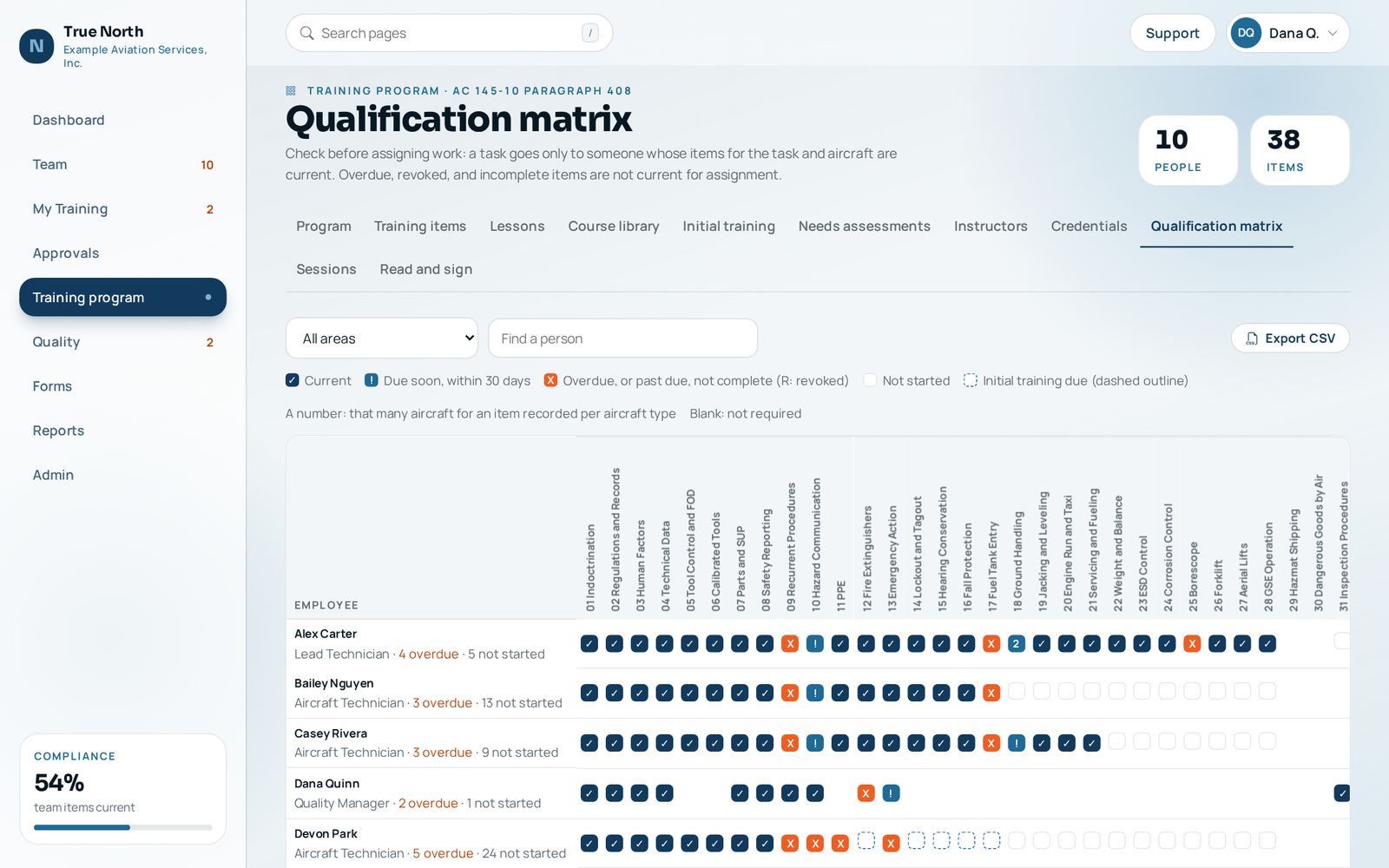
Qualification matrix and work assignment Who is current for what, before the work is assigned.
- What it does
- A grid of people against items and aircraft types. Overdue, revoked, awaiting OJT, and initial items past their window all count as not current. Export to CSV, or let your maintenance tracking system ask through the API.
- Who uses it
- Supervisors, managers, and the director of maintenance, each for the shops they oversee.
- Regulation
- AC 145-10 408; AS9110 7.2, 8.5.1
Credentials and inspection authorization Certificates and authorizations that expire, tracked like training.
- What it does
- Mechanic and repairman certificates, inspection authorization with the yearly activity and the March renewal, NDT levels, FCC and EPA certifications, factory courses, and company authorizations, with expirations, scanned copies in the binder, and an overview of what needs attention.
- Who uses it
- Inspectors and technicians keep theirs current; quality watches the overview.
- Regulation
- 14 CFR Part 65, 65.93; AC 145-10 407(b)
Safety reporting and the hazard log A reporting system people will use, with a risk matrix behind it.
- What it does
- Anyone reports a hazard, near miss, event, or suggestion, anonymously if they choose. Supervisors rate severity and likelihood on a five by five matrix, assign the action, open a corrective action request, link the training item, and close the loop back to the reporter. Indicators feed the management review pack.
- Who uses it
- Everyone reports; supervisors and quality assess and close.
- Regulation
- 14 CFR Part 5; AS9110 6.1, 10.2
Read and sign documents Show that people have read the procedure that changed.
- What it does
- Issue a controlled document or a new revision to everyone, or to the roles and shops it affects, with a date to acknowledge it by. Each person reads it and acknowledges it electronically with their own account, dated the day they did, and the register shows who has and who has not. Reminders go out by email, and a new revision asks again.
- Who uses it
- Quality, training, or accountable manager issues (a training manager with a shop issues to that shop only); everyone affected reads and acknowledges. An approved Training Program Manual revision is issued to everyone automatically.
- Regulation
- AS9110 7.3, 7.5; 14 CFR 145.207
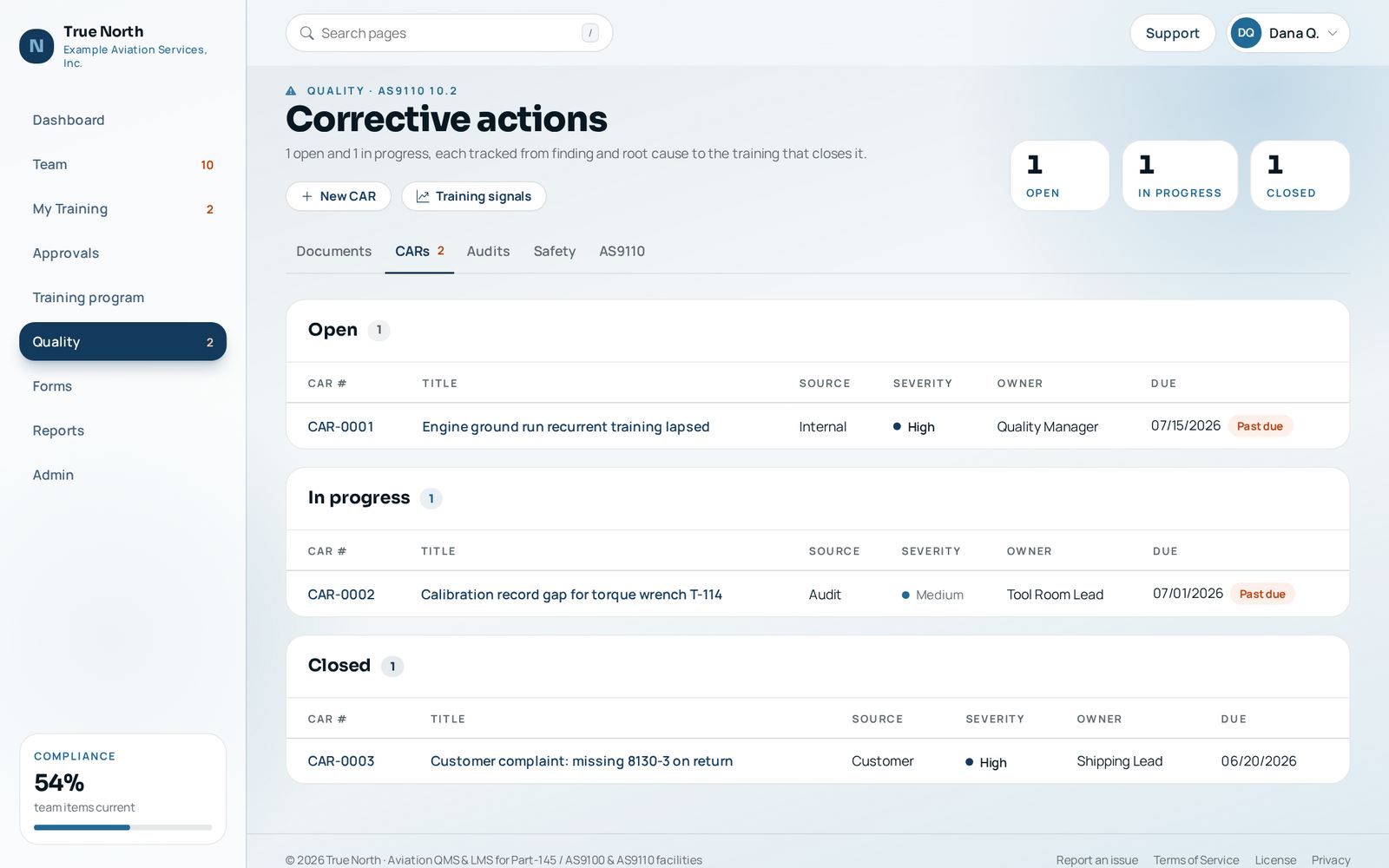
Corrective actions, audits, and controlled documents The quality pieces training depends on, in the same system.
- What it does
- Corrective action requests from audits and safety reports, internal audits, controlled documents with the current revision up front and the history behind it, and trends. The AS9110 dashboard lists qualification currency and corrective action candidates with a CSV export for your QMS.
- Who uses it
- Quality manager and internal auditors.
- Regulation
- AS9110 7.5, 9.2, 10.2
Management review pack The inputs for management review, gathered for you.
- What it does
- A report built from live data: training currency, initial training on time, overdue items, corrective actions, audit results, and safety indicators, ready to print and file with the review record.
- Who uses it
- Accountable manager, quality manager, training manager, and director of maintenance record the review; supervisors see the report numbers for their shop.
- Regulation
- AS9110 9.1, 9.3; AC 145-10 400(a)(1), 406
Sample output: Management Review Record (TN-MR-01) (PDF, watermarked)
Phone page A simple page for the hangar floor.
- What it does
- Large controls to record an OJT event, see what is due, report a hazard, mark session attendance, and approve requests with one tap.
- Who uses it
- Technicians, instructors, and supervisors away from a desk.
- Regulation
- AC 145-10 403 (OJT)
Integrations Keep other systems in step with your training records.
- What it does
- A read API with keys and scopes, completion submissions that still route through a human approver, signed webhooks, iCalendar feeds of due dates, a daily digest email, CSV import of training history, and single sign-on with OpenID Connect.
- Who uses it
- IT and the system administrator.
- Regulation
- AC 145-10 408; AS9110 7.5
Account security and backups Controls that make an electronic signature mean something.
- What it does
- Two-step verification you can require for supervisors and managers or for everyone, password rules with a common password check, PBKDF2 storage, lockout, idle time-outs, hashed session keys, a security event log, recorded access reviews, and a backup tool that writes a verified archive with a SHA-256 manifest.
- Who uses it
- System administrator, accountable manager, and quality manager.
- Regulation
- 14 CFR 145.12; AS9110 7.5.3; NIST SP 800-171 families
Operations guide and health page Health checks, backups, and plain instructions for the people who run the server.
- What it does
- An Operations page for the system administrator shows database integrity, the last backup, free disk, mail settings, failed sign-ins, waiting approvals, webhook failures, and every setting, with a plain warning for each problem. Run a backup or an integrity check from the page. The written guide gives checklists from daily to yearly, a restore drill, and how to move to a new server.
- Who uses it
- System administrator, or the IT provider who runs the server.
- Regulation
- 14 CFR 145.163(c); AS9110 7.5.3
Want to see a module in action?
Tell us which part of your program takes the most time today and we will start the demo there.